
Introducing DashQ Storefronts: Ecommerce, built for leasing
November 11, 2026
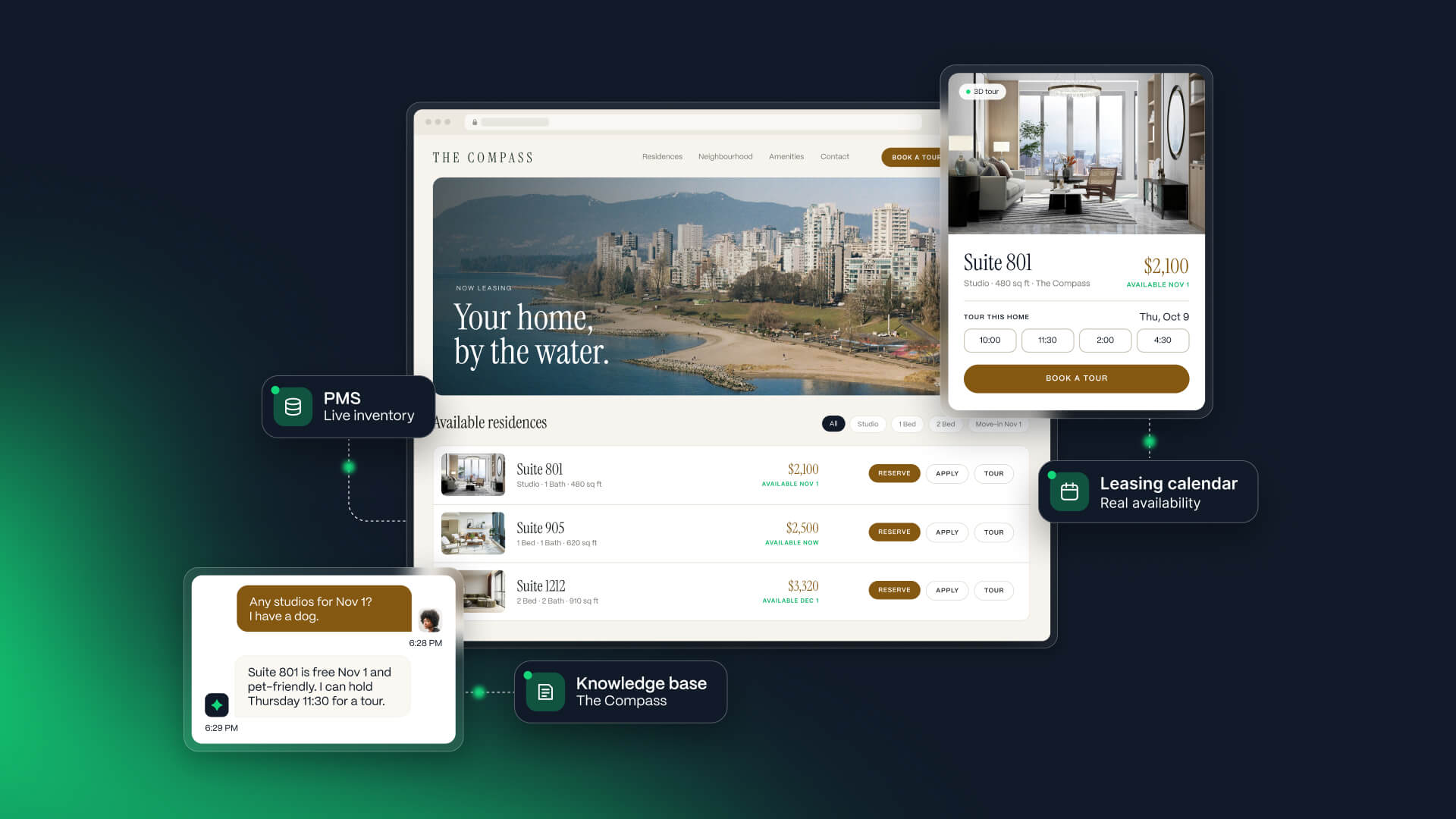
Many community websites already show available homes, let renters choose a tour time and offer an online application.
But those features can work very differently. Inventory may be out of date. A confirmed tour can conflict with another booking on the team’s calendar. The Apply button can take the renter to a separate portal, away from the community website where they chose their home.
A website can still behave like a digital catalogue with leasing tools attached. What matters is whether the experience breaks when a renter tries to take the next step.
We built DashQ Storefronts to make those next steps part of your community website.
Storefronts gives your community a website built and maintained by DashQ, where renters can explore homes, get answers, book a tour, apply and sign in one branded experience. The website connects to the inventory, calendars and leasing workflows your team uses to complete the lease.
A confirmed tour should be one your team can deliver.
The time a renter chooses needs to match your team’s availability and reach the right representative. Otherwise, an online booking can still leave your team resolving a scheduling conflict after the confirmation has gone out.
Help renters find and compare available homes
Renters should be choosing from homes they can actually lease. Storefronts syncs availability, pricing and promotions from your property management system (PMS), so the homes shown on your website reflect the inventory your team is leasing. When units lease or prices change in the PMS, those updates flow through to the Storefront.
A beautiful website is great. One that brings you more leases is better.
Once renters know what’s available, they need to work out which layout suits their life, what the home will cost and whether the community feels right for them.
Help renters find the right home. Filters and side-by-side comparison make it easier to narrow the options. An interactive floor-plan navigator helps them explore the layouts, while galleries, virtual tours and neighbourhood details help them picture everyday life there. Two homes with the same number of bedrooms can offer very different living experiences. Renters need a way to see those differences.
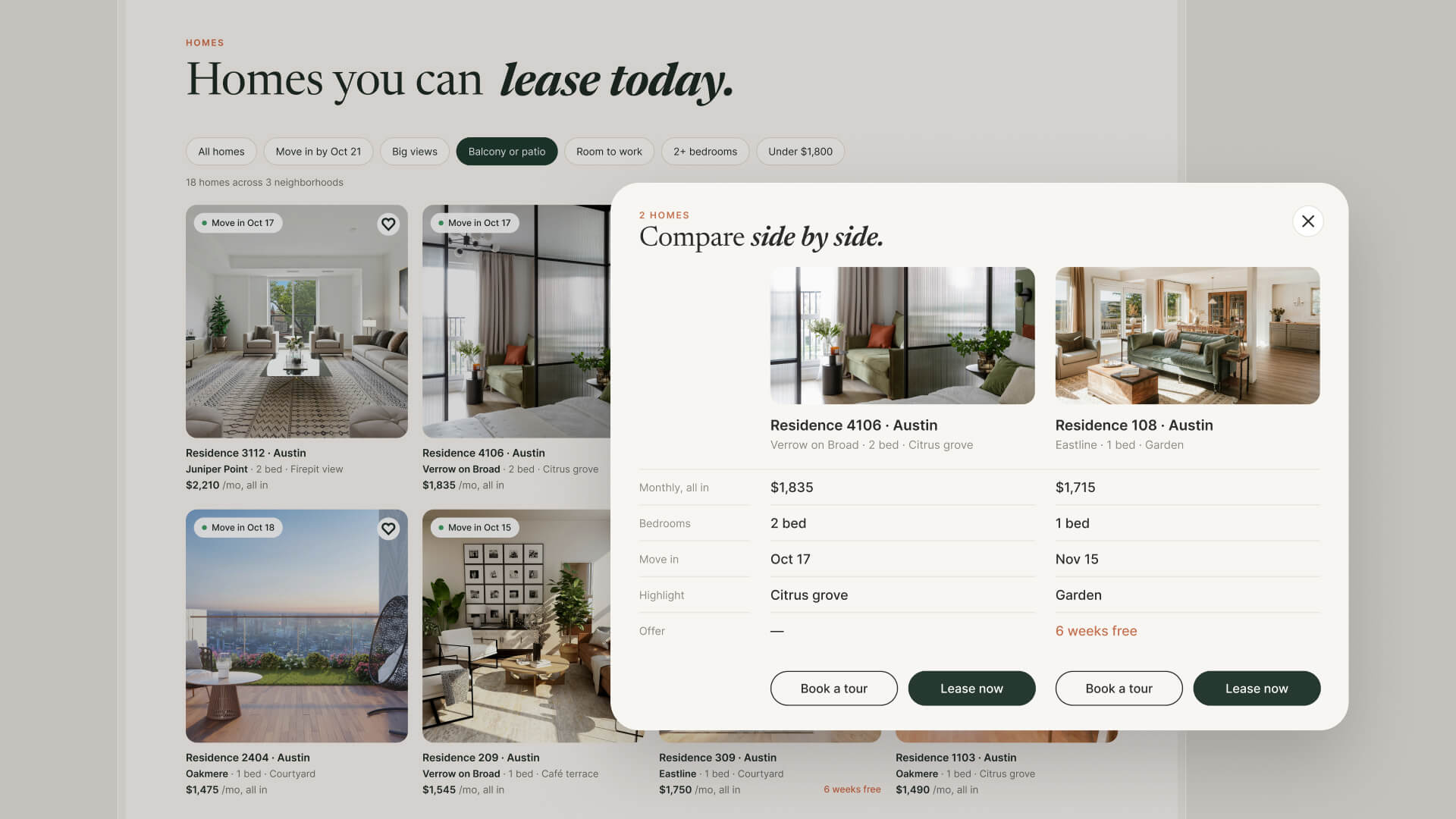
Show what the home will cost. Renters can see the full cost of the home they’re considering, including applicable fees, parking and deposits. That gives them a clearer basis for comparing their options and deciding what fits their budget before they apply.
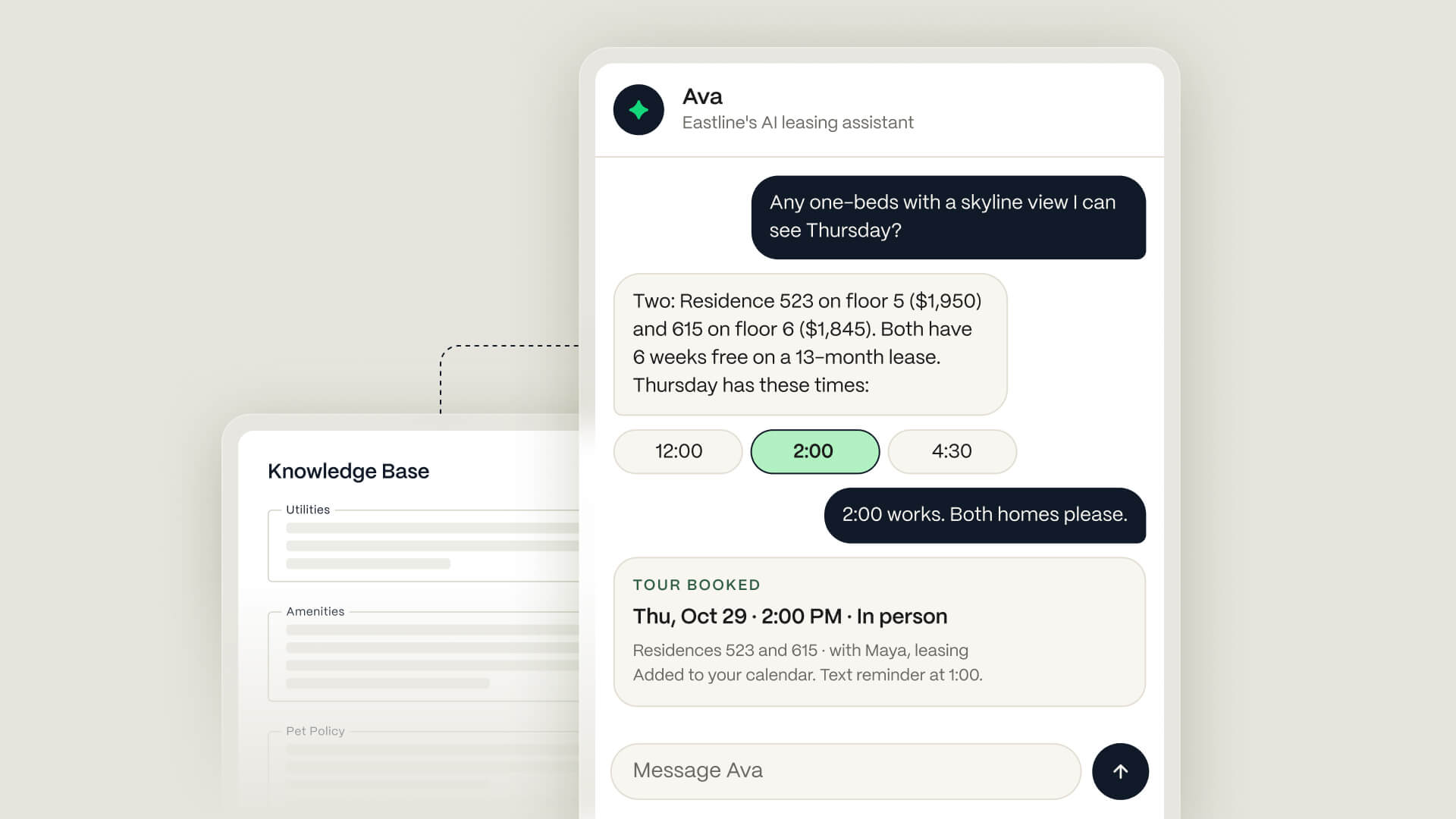
Answer the question that’s holding them back. With AVA, your AI leasing agent, renters can ask about the pet policy, parking or other community details right on the page. AVA answers from your community’s knowledge base and can suggest another available home when the first isn’t a fit.
These details give the tour a stronger starting point. A renter can arrive with a shortlist and informed questions, and your team can spend more time helping them make a decision.
That’s hospitality at the beginning of the relationship: anticipating what someone needs and helping them take the next step.
Let renters book tours, apply and sign on your website
In ecommerce, the storefront connects to the systems that complete the purchase. The product a shopper chooses is tied to inventory, payment and fulfilment. What happens behind the screen makes the experience work.
Leasing has its own requirements: calendars, identity and income checks, approvals, deposits and lease documents. The experience depends on how reliably those systems work together as the renter moves forward.
DashQ Convert and Checkout already handle tour booking, applications and lease completion. Storefronts brings those workflows into the website where renters choose their home, so they can keep going from browsing to a signed lease in the same branded experience.
Book tours using your team’s real availability
A time slot on a website needs to reflect the availability of the people delivering the tour.
With Storefronts, renters choose an available time for an in-person or virtual tour using your team’s connected calendars. DashQ routes the booking to the right representative and adds it to the calendars, with the renter’s details attached. Confirmations, reminders and rescheduling are handled within the same touring workflow.
The booking is connected to the team’s schedule and the work required to deliver the appointment.
Renters can book a tour after your office closes.
Imagine a renter finding a home after your leasing office has closed. They ask AVA about parking, get the answer they need and book an available tour time. When your team returns, the appointment is on the calendar and assigned to the right representative, with the renter’s details attached.
Apply and track progress on your community website
An online application can still create a break in the experience. A renter clicks Apply on the community website and lands at an unfamiliar web address, where they may be asked to create another account and password. Just as they’re being asked to share identity and financial information, they have to decide whether they trust the destination.
That separate destination also becomes another place to remember when they want to finish the application or check its progress.
Storefronts gives renters a familiar place to apply and return to. They can start with the home they’ve chosen, complete the application through the community website and come back there to see what’s complete and what’s still needed.
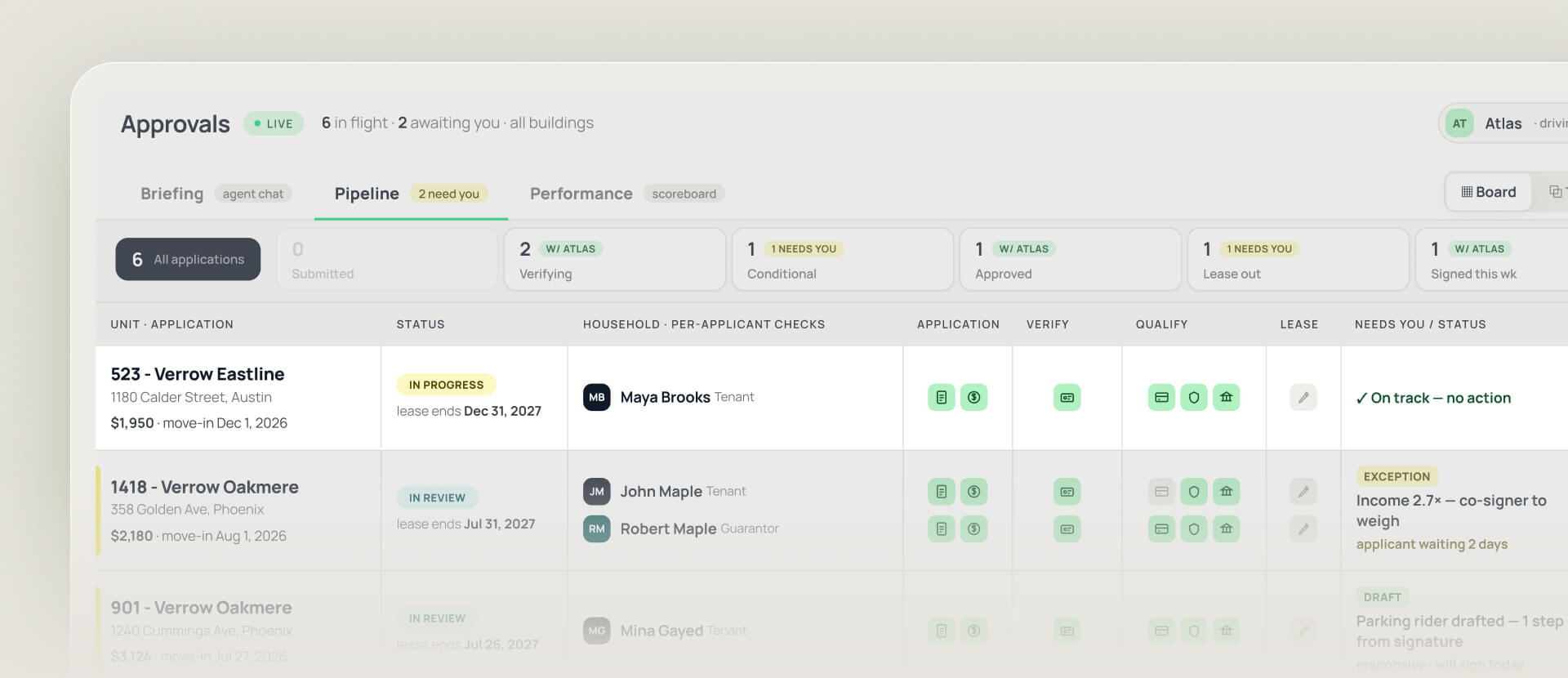
Checkout guides them through household details, identity and income verification, and background checks. They can add co-applicants or guarantors within the application flow.
Checkout brings the application and verification results together for review. Applications that meet your configured rules can be approved automatically, while exceptions go to your team.
Collect deposits and complete the lease online
Renters can choose extras such as parking or storage, pay required deposits and sign electronically. Those choices connect to the work needed to complete the lease.
For example, when someone adds parking, the applicable charges, deposit requirements and lease addenda are applied automatically. Your team doesn’t have to copy the same choice from a conversation into separate records and documents.
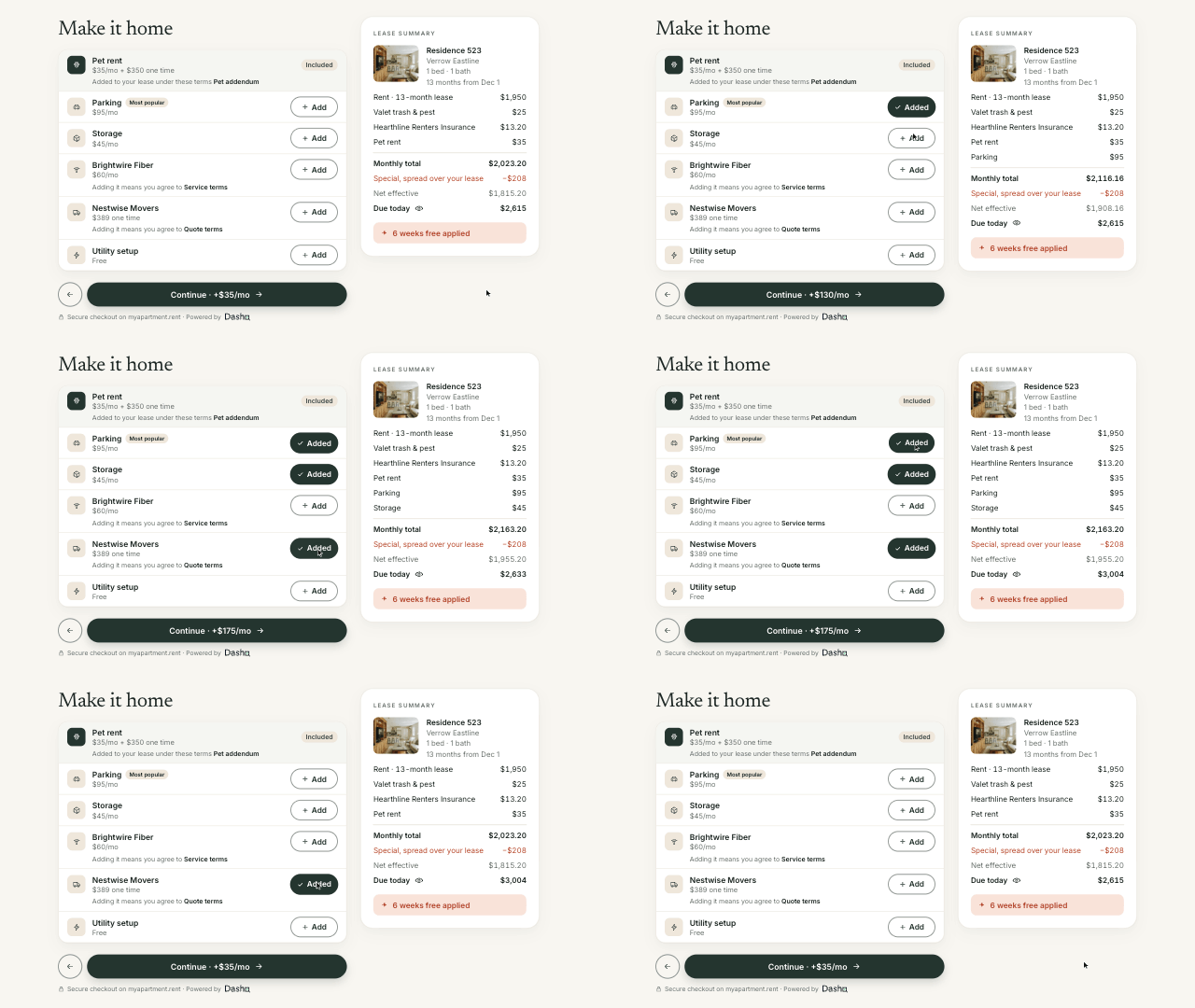
The process follows your leasing requirements and approval rules. Completed lease details go back to your PMS, connecting the transaction to the system that manages your community’s inventory and lease records.
Your team is still there to show homes, help renters and make decisions. They spend less time coordinating the steps around that work.
Help renters move in with DashQ Serve
For communities using DashQ Serve, the experience continues after the lease is signed. The renter’s move-in checklist appears on the Storefront, giving them a clear view of what they need to do before moving in. They can also return to the Storefront to log into their resident portal.
The community website remains a familiar place to return to as renters prepare to move in and become residents.
See which campaigns lead to signed leases
Storefronts supports Google Tag Manager and Meta Pixel (Facebook Pixel), so your marketing team can connect each community’s website to the analytics and advertising tools they use to measure campaign performance.
That gives marketers visibility into website visits and the actions renters take after clicking an ad. Within DashQ, source information follows the renter through tour bookings, applications and signed leases, giving your team a clearer picture of which channels turn interest into leases.
A campaign that generates plenty of enquiries may contribute fewer leases than one that brings in a smaller, more interested audience. Following that journey gives you a clearer basis for deciding where to spend.
A lower cost per lead can still mean a higher cost per lease.
Compare each campaign’s spend with the leases it produces. Then look at the steps in between to understand where interested renters stop progressing.
Your community website, built and maintained by DashQ
Your community has its own character, and the website should reflect it.
We design and build your Storefront around your community and your brand, connect it to your inventory and leasing setup, and maintain it after launch. The experience works across phones, tablets and desktops, with the leasing steps configured around your requirements and the DashQ products you use.
The result is a website that helps renters choose a home and complete their lease, with each step connected to the systems your team uses to deliver it.
Let’s show you how that could work for your community.
Next Posts


Join our community and get multifamily tips & trends delivered to your inbox.