
Renting as Easy as Booking a Hotel
The instant, mobile-first experience renters expect and the approvals engine operators need. One system, from applications to signed leases.
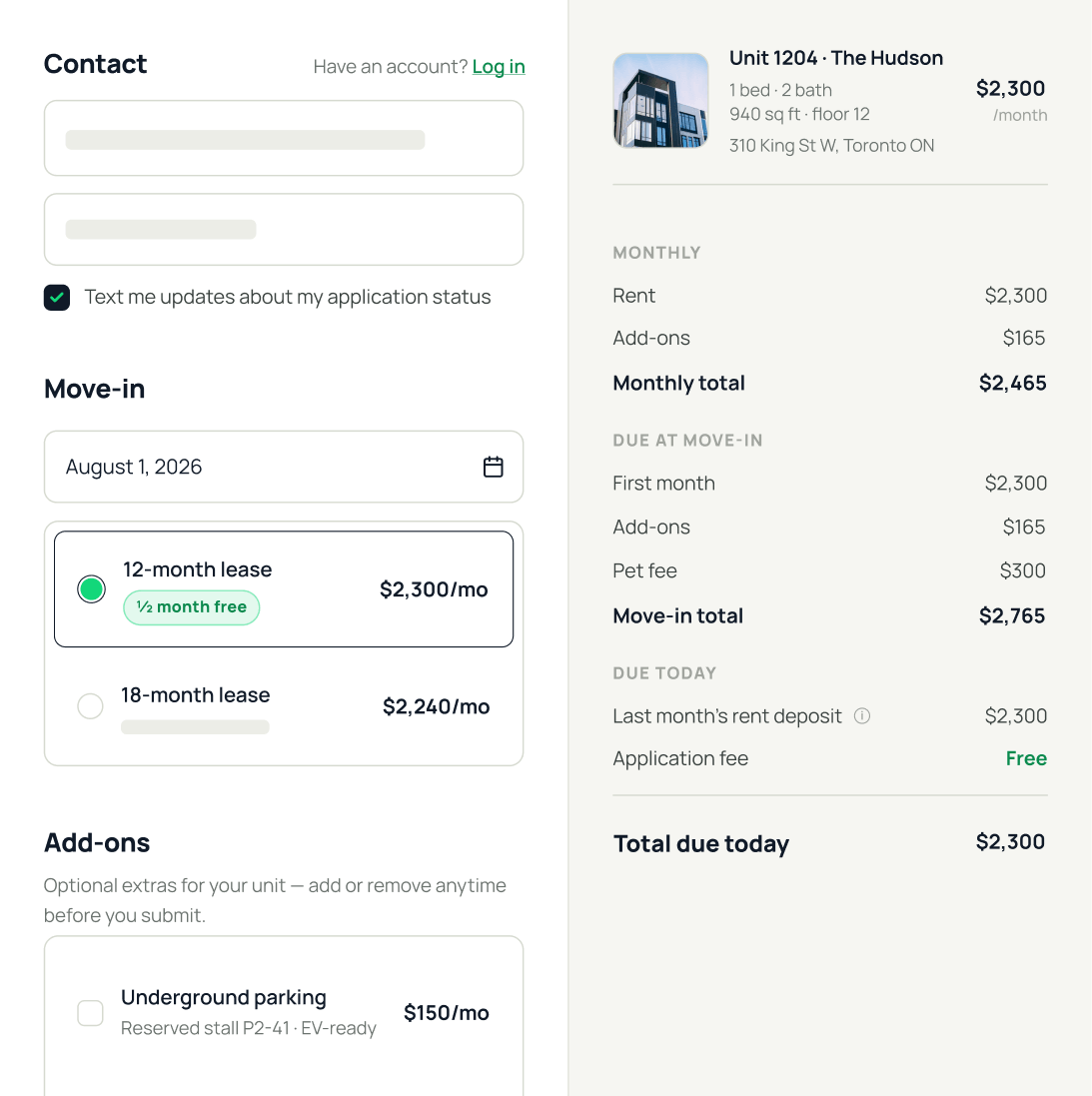






The best-converting checkout experience in multifamily
An ecommerce-style application flow. Renters finish in minutes. Teams get complete applications. Leases move forward without all the back-and-forth.
1 in 3
Tours convert to an application
10 min
Time it takes to complete an application

Unit-specific application links.

All in one go.

Clear, trackable progress bar.
A faster, more scalable way to run approvals
One coordinated system to replace the manual steps, scattered spreadsheets, and endless emails.
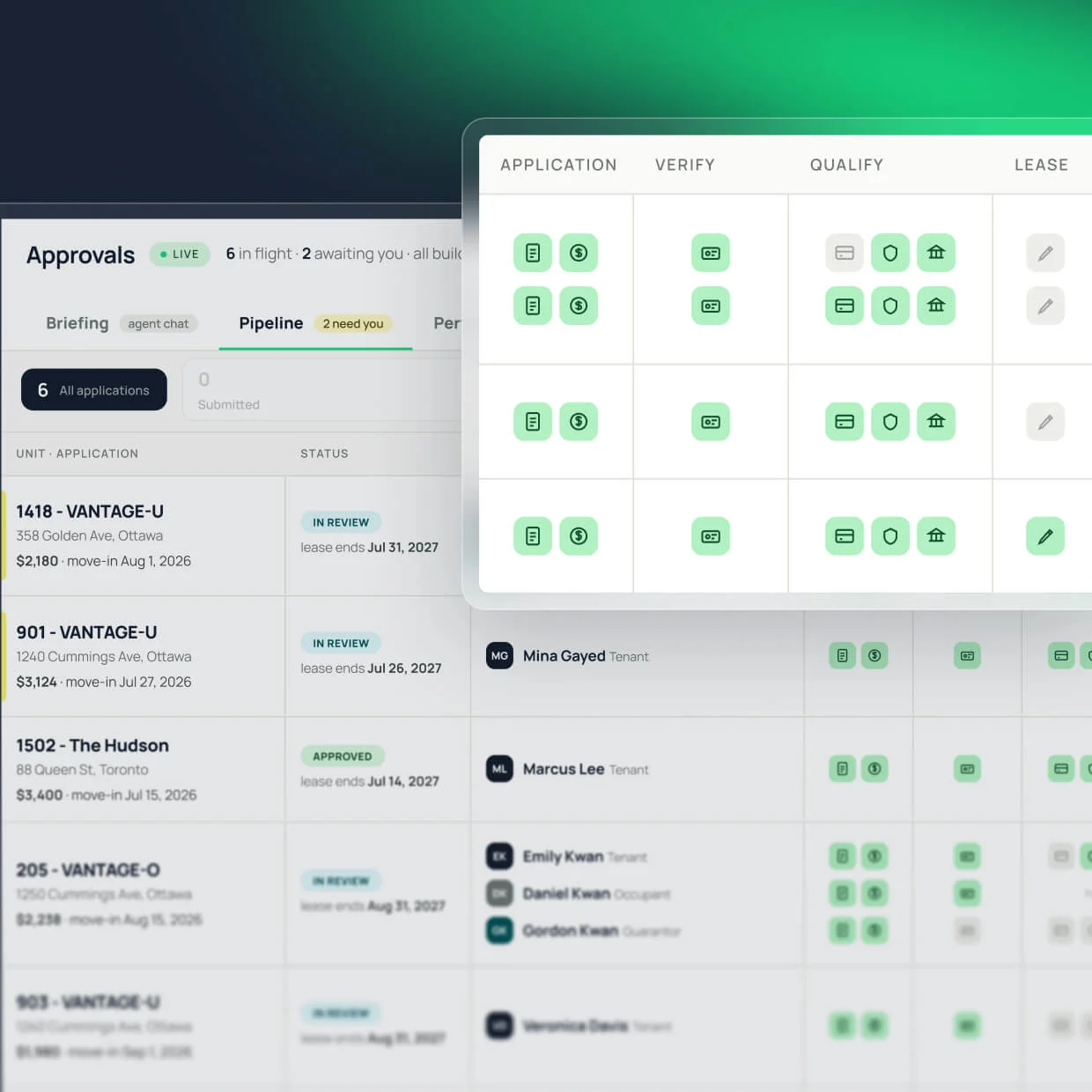
Every application, in one shared view.
A real-time queue for every application in flight. Filter by status, building, or owner and see what’s done, what’s next, and who’s responsible.
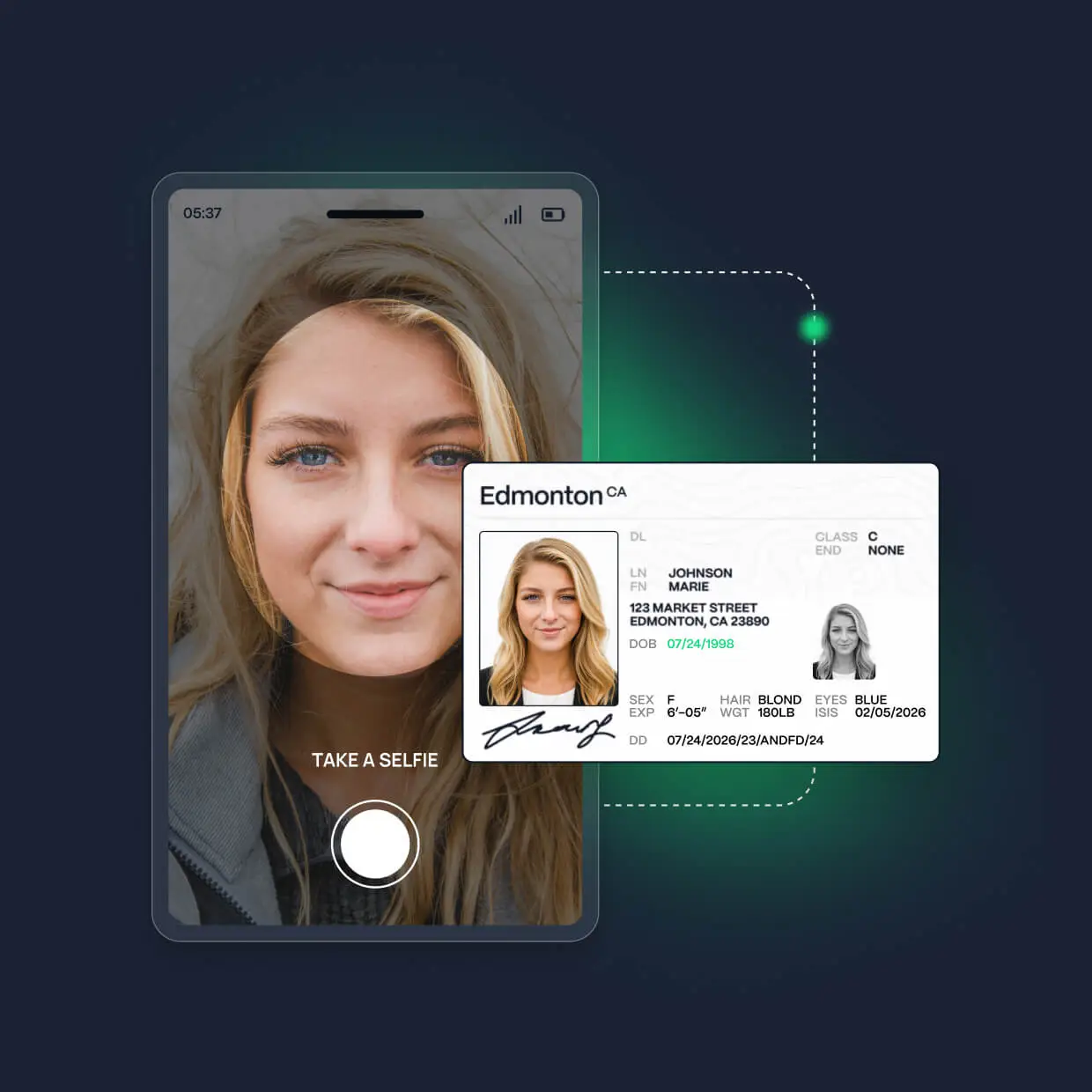
ID and income verified in minutes.
Renters snap a selfie, upload ID, and connect their bank. DashQ runs the right checks for every employment type and community, and drops a clean report in the file automatically.
Leases, auto-filled and always compliant.
Leases, schedules, and addendums populated from your templates. Review, and sign, so everything syncs back to your PMS, the applicant becomes a resident and the unit is marked filled in your systems.
.webp)
Vacant units cost money. Slow leasing adds up.
Digital, error-free deposit lifecycle
Stop deposits from turning into month-end accounting cleanup. Keep every payment tied to the right applicant, property, and charge codes, so reconciliations line up and the books close audit-ready.
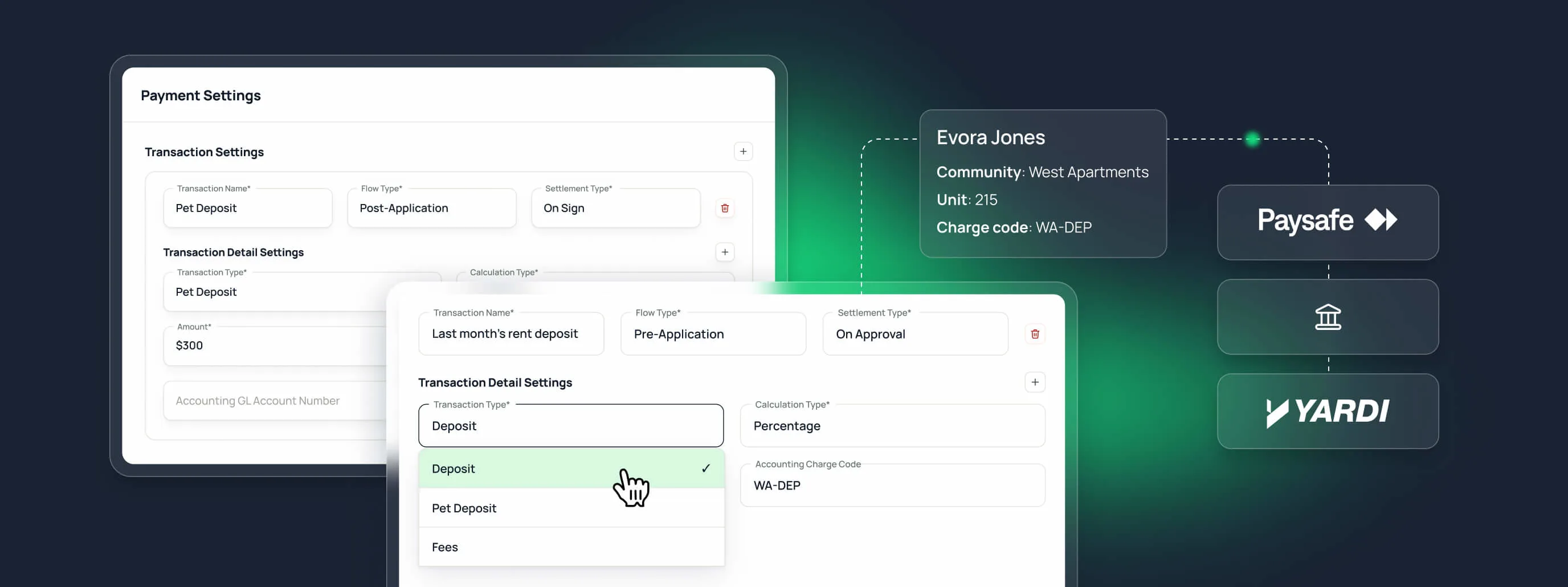
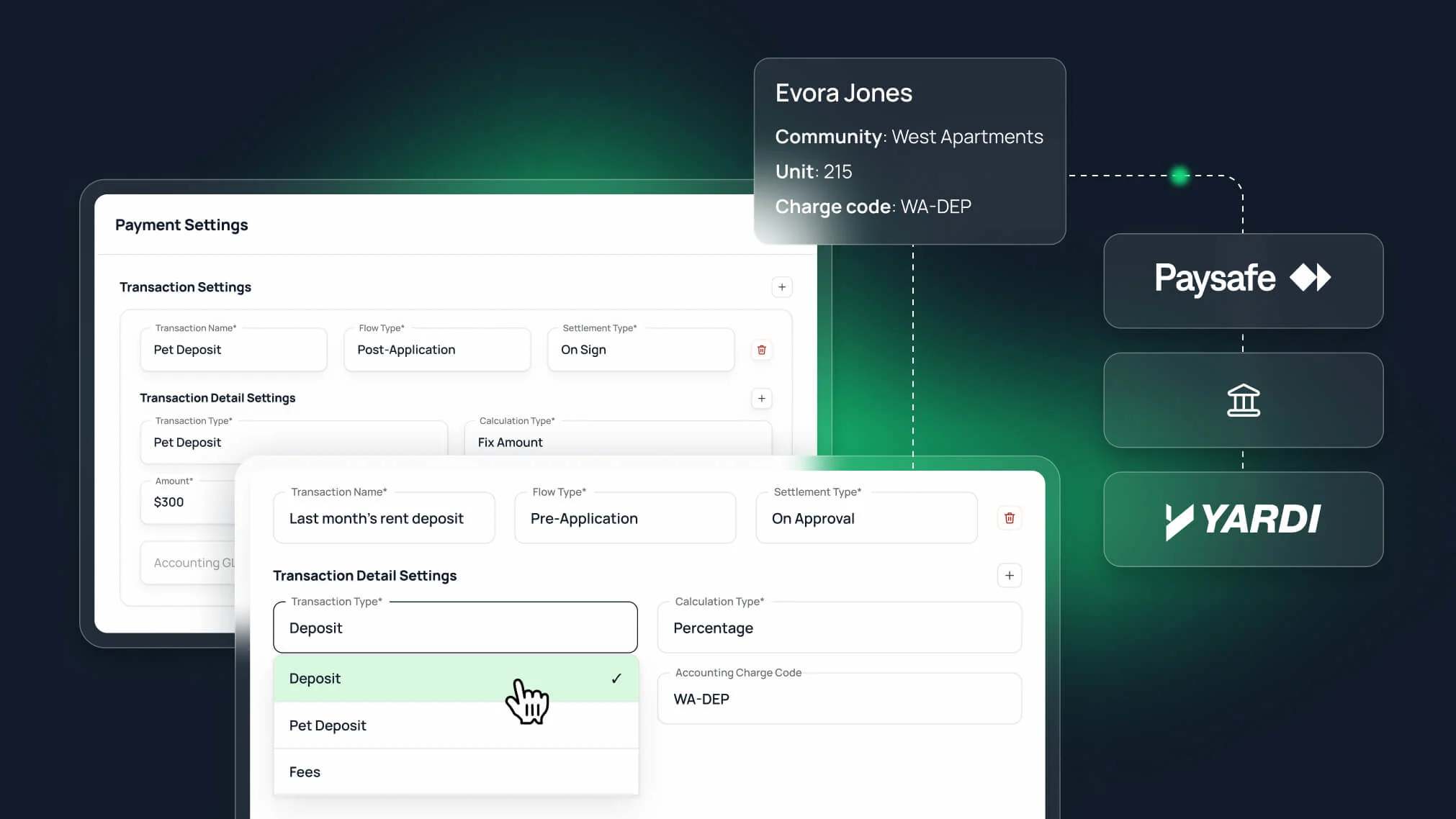

Collected the right way.

Released or captured automatically.

Recorded where it belongs.
Visibility that drives performance
Track performance at every level, from individual applications to trends across your portfolio. Cut approvals time, hit your occupancy targets, and coach your teams for better performance.
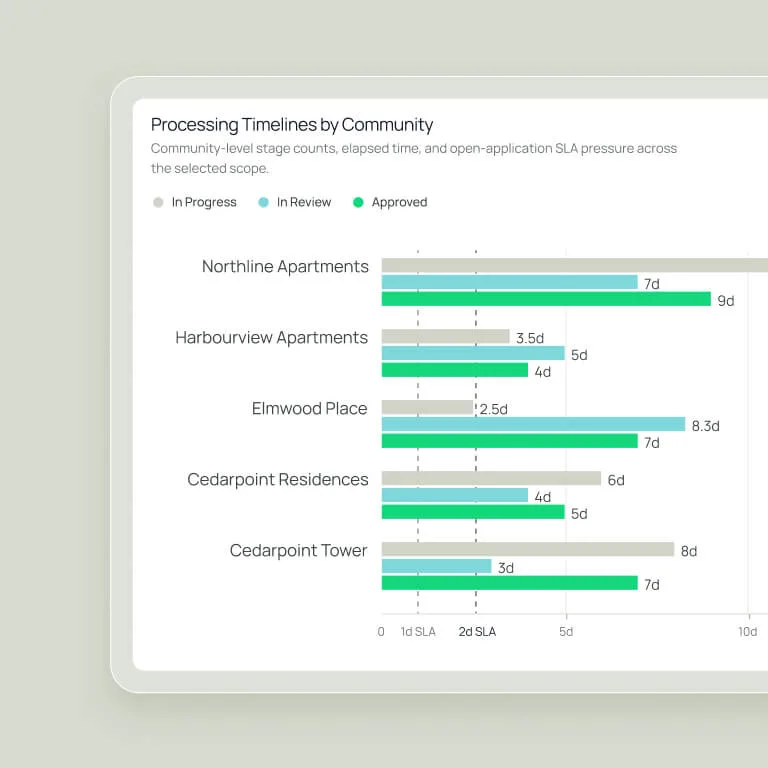
Approval timelines, by rep and community
See how long screening, review, approval, and signing actually take. Idle time gets visible - and fixable - before it costs you a lease.
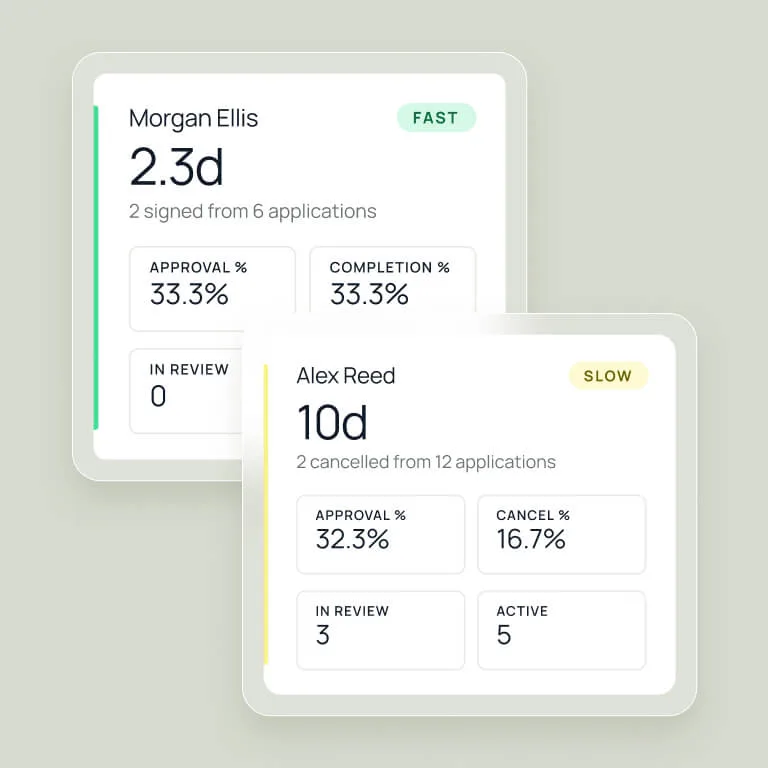
Coaching, backed by data
Compare approval timelines, loss reasons, and conversion patterns by team and community. Fix your bottlenecks. Coach the reps who need it. Let the data shape your process.
Occupancy risks, before they hit NOI
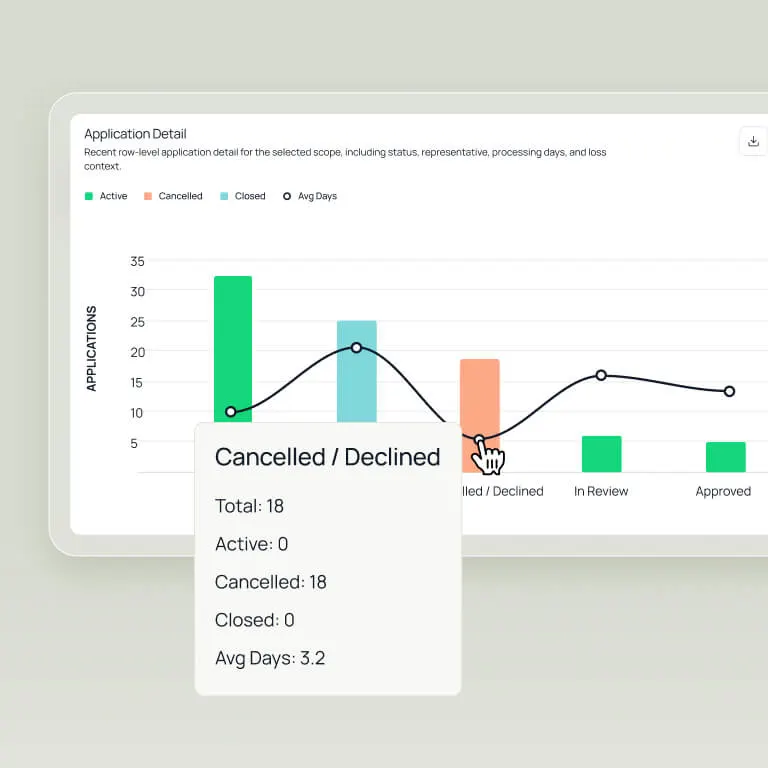
Track which leases will close, which are stalling, and which dropped off. Find the root causes, and fix the gap before it shows up in your numbers.
Built-in flexibility for real-world leasing
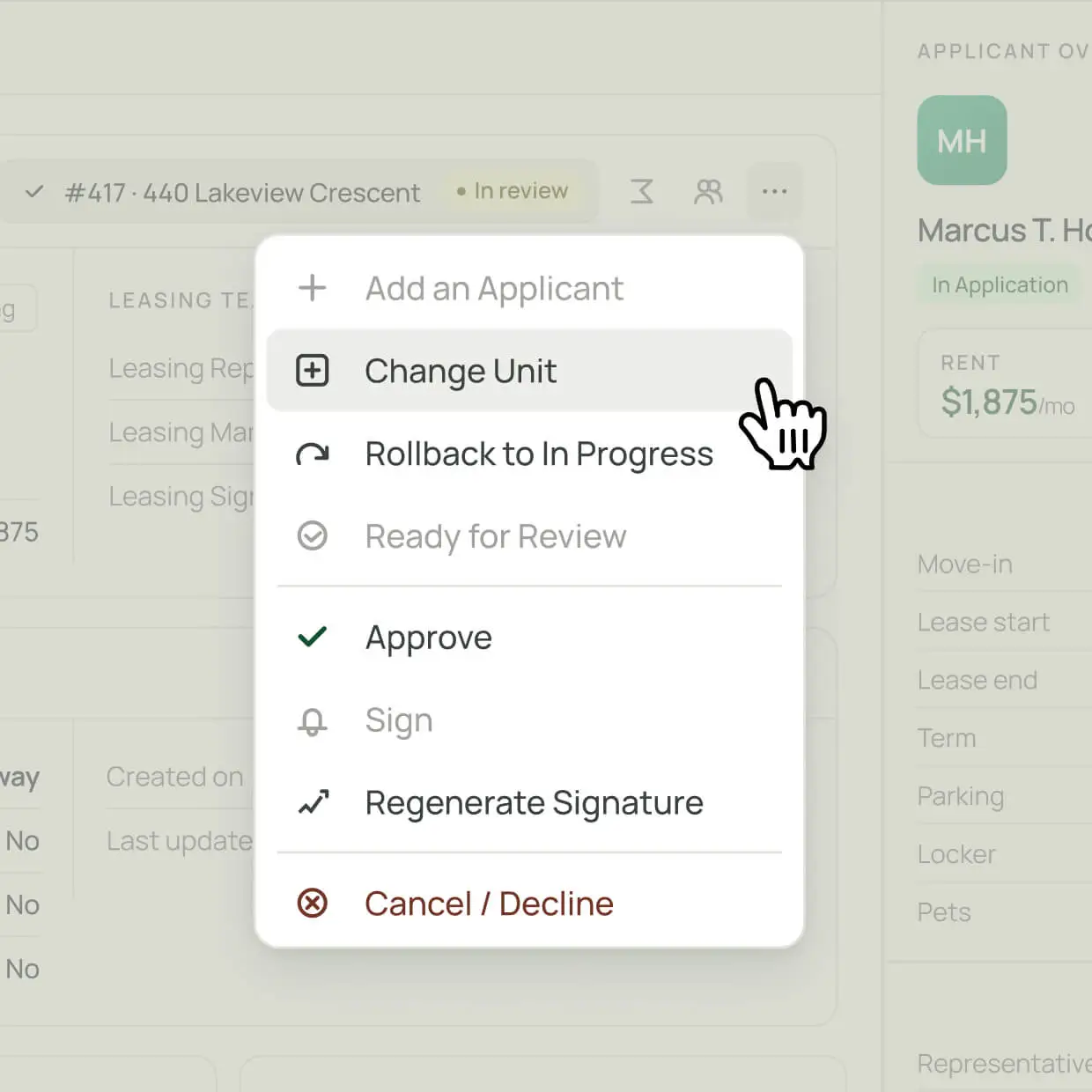
Keep every application moving. Even when renters change the units, add a roommate, or need a manual check.
DashQ is making our leasing process easier, quicker and more secure.


Approvals in minutes. Move-ins ahead of schedule.
Explore our other products


Join our community and get multifamily tips & trends delivered to your inbox.