

Tour demand doesn't stop at 5pm. Coverage shouldn't either.
On-demand, DashQ-managed leasing support, when and where your communities need it most. Activate by community. Pay by signed lease.
Schedule A Demo
 MR
MR JM
JMA bigger team for the busy moments.
No overhead for the quiet ones.
Add coverage where demand is building, without turning every temporary gap into a hiring decision.

After hours & weekends
Capture the tours that come in once the office closes.

Staffing gaps & turnover
Keep leasing running through vacancies, PTO, and ramp time.

Peak leasing season
Add capacity for the rush without adding permanent seats.

New lease-ups
Stand up a dedicated team to fill a new community fast.
The right coverage for every community.
Spot where coverage is needed, set the right model for each community, and trained reps cover the tours. All inside DashQ.
Act on gaps before they hit NOI.
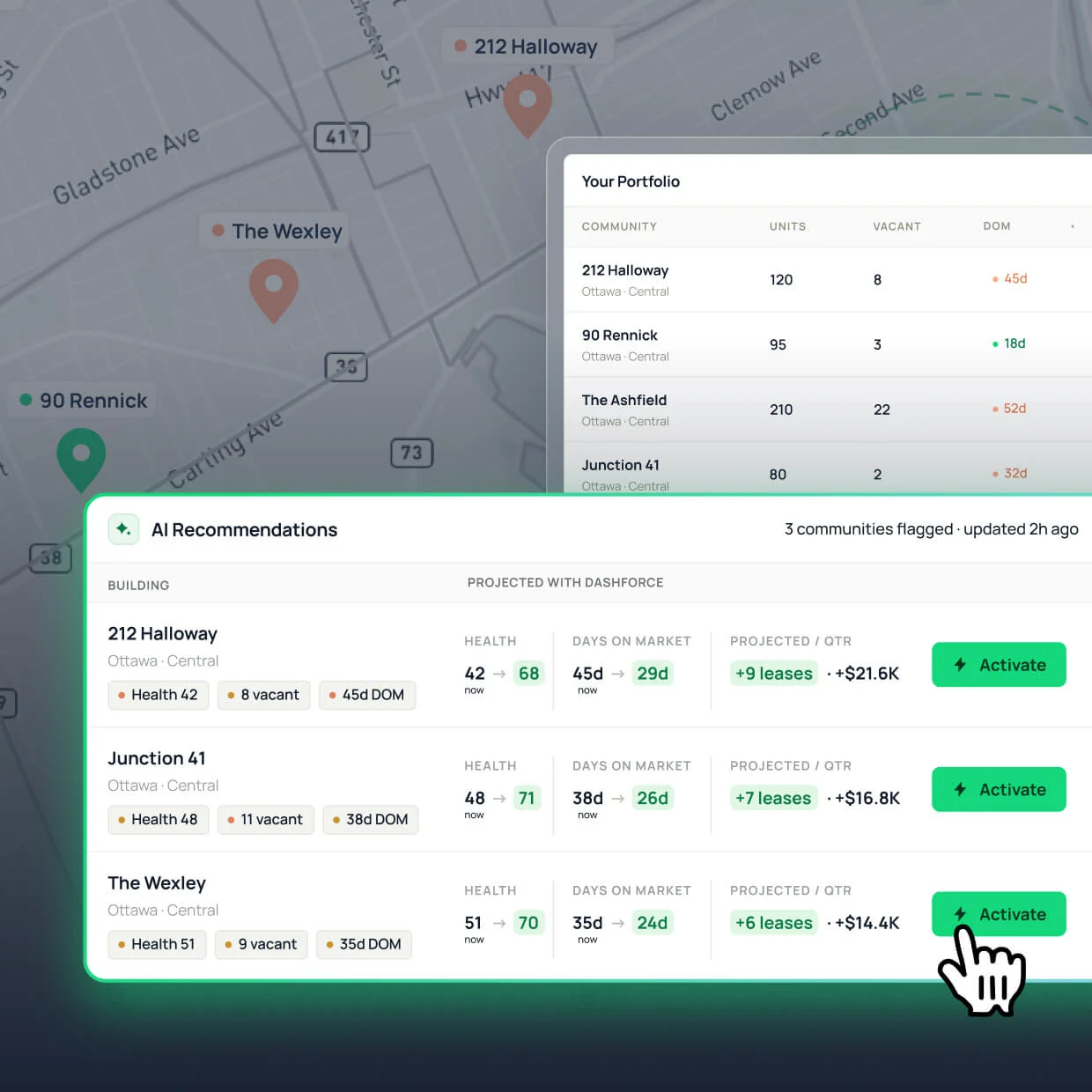
See which communities are slipping on vacancy, days on market, or conversion. Switch DashForce on, and get trained reps covering tours in days. Not the months it takes to post, hire, and ramp a new seat.
Give each community the right kind of backup.
Choose how tours split between your team and DashForce. DashQ routes every booking to your standards.
Catch the leads your team can't.
Your team tours first. When they're booked or off, DashForce takes the rest.
Add capacity, not headcount.
DashForce reps work the regular leasing schedule alongside your team. Or in place of it, where you don't have one.
Fill a new community fast.
A dedicated DashForce team takes every lead, then stands down as the community fills.
Bring in reps that work like part of the team.
Every DashForce tour goes to a trained local rep who knows the market, has room on their calendar, and is ready to represent the community well. Arriving with your access rules, showing instructions, and workflow in place.

Pay for leases signed. Not seats filled.
Move leasing coverage off fixed payroll and onto a cost that scales only with revenue.
Every uncovered tour is a lease left on the table.
Control the rollout. Prove the return.
See where DashForce is live, how coverage is performing, and what needs attention next.
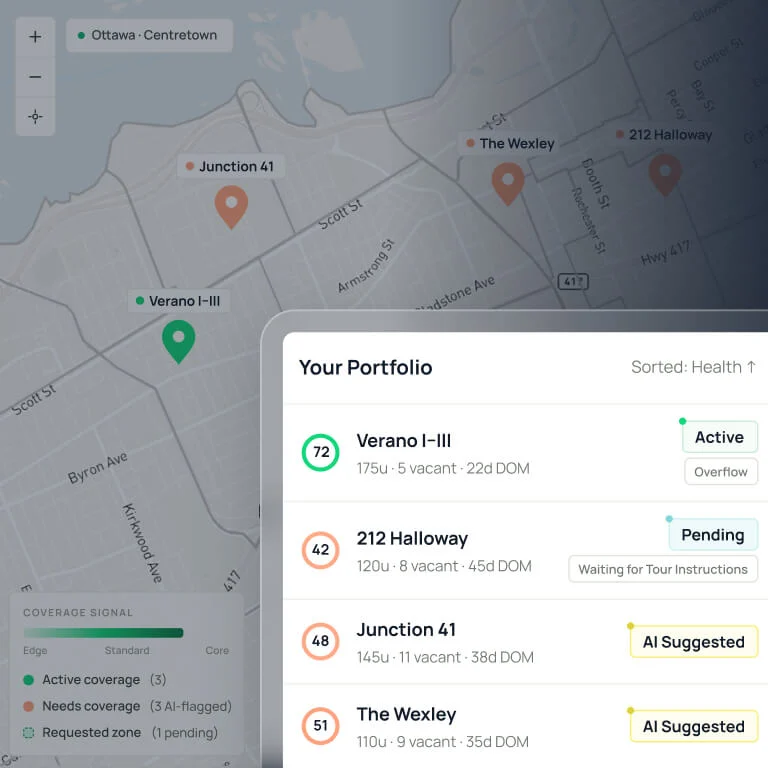
Know what’s live.
See active, paused, and pending communities at a glance. Know where coverage is running, where it’s waiting, and where readiness still needs work.
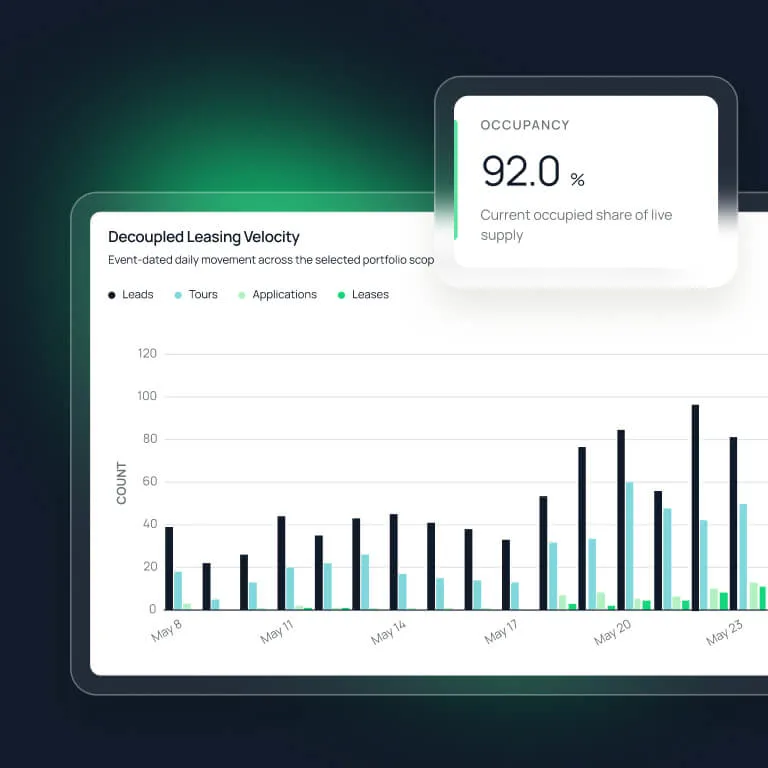
Measure the lift.
Track tours covered, leases signed, conversion, response time, and rep performance. See the DashForce contribution and know what to scale next.

Tie every charge to a lease.
Connect billing back to signed leases, invoice status, and payment status, so operations, asset management, and finance all work from the same record.
DashQ-trained. DashQ-managed. DashQ-accountable.
Add more hands, keep the same standards. Every rep is prepared before they tour, every community is ready before coverage starts, and every showing follows the way your community is meant to run.
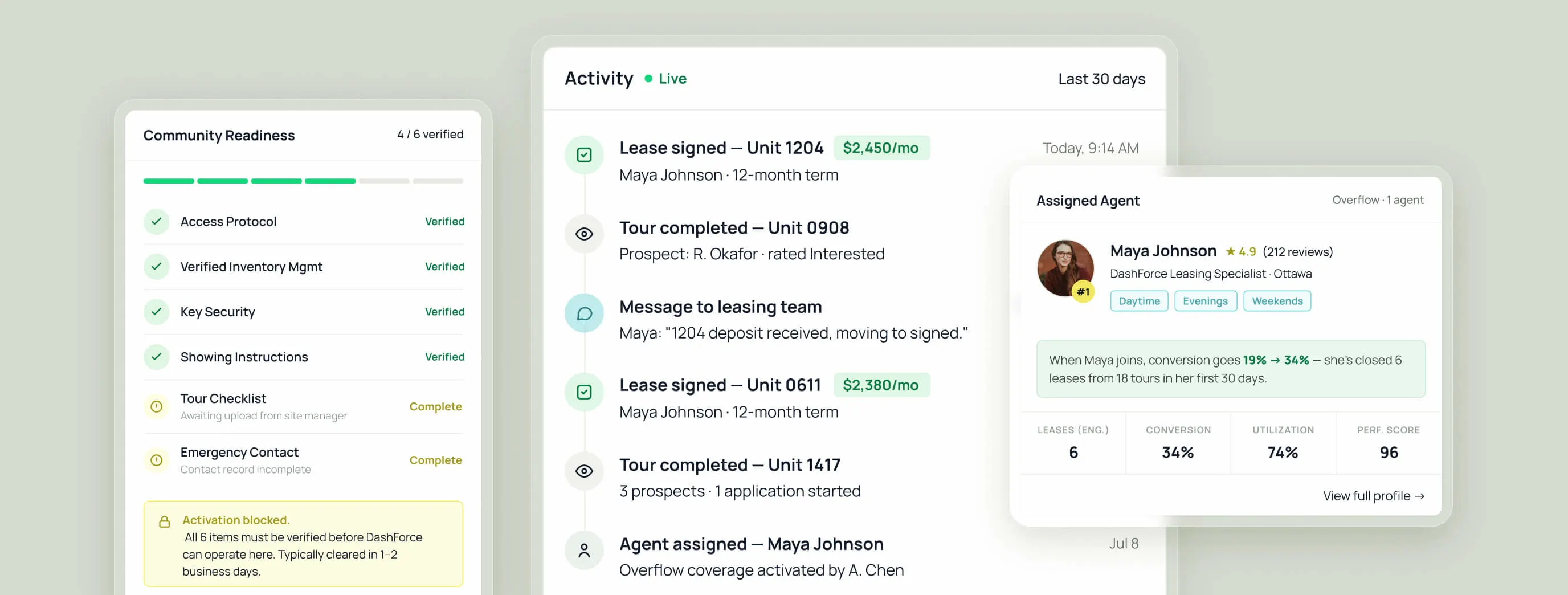


Trained and certified before the first tour.

Ready communities. Before the first showing.

Same workflow. Same standards.
MULTIFAMILY IS MOVING
Skip the hiring cycle. Add capacity now.
Add DashQ-managed coverage to any community, any time you need it.
Frequently asked questions
Does DashForce replace my on-site team?

Can I turn DashForce off?
Will it work with my current setup?
How do reps access my communities and units?
Are the reps vetted?
How do I know a lease came from DashForce?
From multifamily leaders

DashQ helped us bring people, processes, and technology together to create a high-performance leasing model and hit our occupancy targets.


It wasn't just a solution for right now. It was a solution for our future as well.


With DashQ, Luxo accelerated stabilization and built a high-performance leasing culture.


Faster leasing, smoother coordination, better experience for all.


DashQ is making our leasing process easier, quicker and more secure.


Join our community and get multifamily tips & trends delivered to your inbox.